git copycat
A CLI tool that mirrors GitHub contribution history from a source account to a target by creating backdated commits. Useful for consolidating contributions across multiple GitHub profiles.
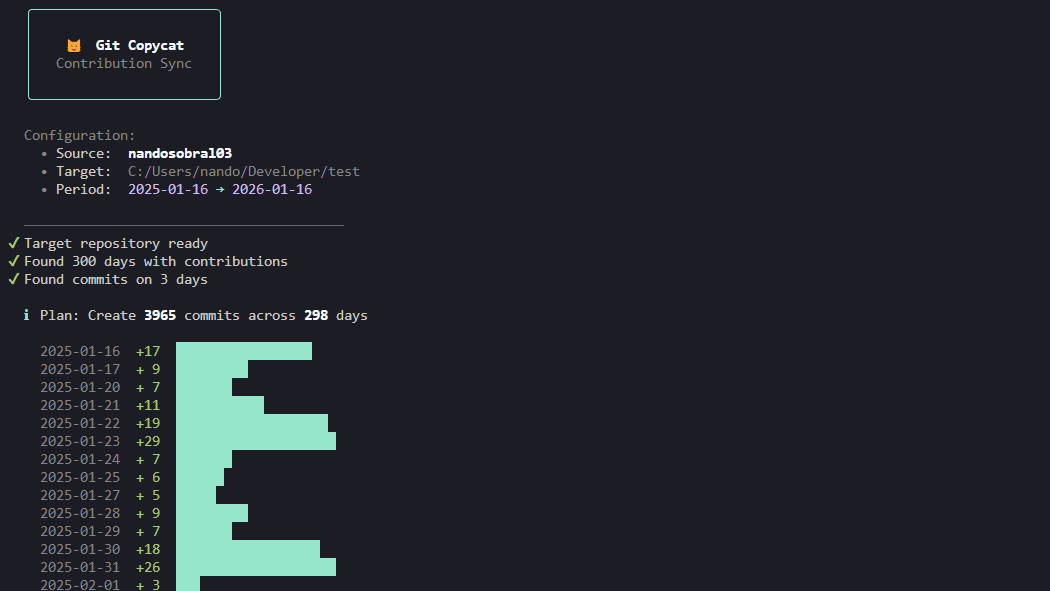
Description
Git Copycat is a small CLI tool I built over a weekend to solve a problem I had: I have contributions spread across multiple GitHub accounts (work, personal, freelance) and I wanted my main profile to actually reflect the work I do. The tool fetches the contribution calendar from a source GitHub account via the GraphQL API, looks at what commits already exist in a target repo, and creates only the backdated commits needed to match the source. It's idempotent so you can run it as many times as you want without duplicating anything.
I also set it up as a GitHub Action so it can run daily and keep things in sync automatically, which is really the way it's meant to be used. Set it up once and forget about it.
I also set it up as a GitHub Action so it can run daily and keep things in sync automatically, which is really the way it's meant to be used. Set it up once and forget about it.
Technologies
Built with Bun and TypeScript. I used Octokit to talk to the GitHub GraphQL API for fetching contribution calendars, and Bun's shell interface for the git operations like creating backdated commits with custom author and committer dates. For the CLI itself I used boxen, chalk, cli-progress, and ora to make it look nice in the terminal.
Things Learned
This was a fun one for TUI design. I spent more time than I probably should have making the terminal output look good with progress bars, spinners, and styled boxes, but it makes the experience so much nicer. It was also satisfying to build something that I actually use and that other people in the same situation can benefit from. Setting up the GitHub Action to run it on a schedule was straightforward but a nice touch that makes the tool actually practical for daily use.
Things I Would Do Differently
I think the setup is still a bit complex for what it does. You need a GitHub token, configure the env vars, have a target repo ready, etc. I'd like to make it easier for people to get started, maybe with an interactive setup wizard or a simpler onboarding flow. The tool itself works great but the barrier to entry is higher than it should be.